
CROSS RAMP Console
Overview and setup guide for the CROSS RAMP Console.
This document provides an overview of the updated CROSS RAMP Console.
Prerequisites
Signing Up for CROSS-RAMP Console
You can configure the settings necessary for deploying the developer's token contract and issuing/burning user tokens.
- You can set the token name, icon, etc., to be used in the developer's application (Dapp).
- You can configure the game currency to be displayed when issuing/burning tokens in the application (Dapp).
Wallet
Used for project management and game token issuance in the CROSS RAMP Console.
It must be a wallet that can only be executed on a separate phone managed by the company.
Supported Wallets
- CROSSx Wallet
- MetaMask
- When using MetaMask, you need to add the CROSS Mainnet and Testnet networks.
Validator Key
Used to verify whether the token issuance and burning requests from users are transactions properly created by the developer's backend server. For this, you need to register the Validator Key (generated unique address) in the CROSS-RAMP console.
The generated private key must be securely stored and used on the game backend server.
Generating Validator Key
- You can generate private keys and addresses using the KeyGenerator tool provided by Nexus.
- Private keys and addresses generated by MetaMask and CROSSx can also be used.
Integration API
This is the interface required between the RAMP platform and the game server to implement the token issuance/burning function within the application (Dapp).
Important To integrate token minting and burning using CROSS-RAMP in the application (dApp), you need to implement three endpoints that support integration with the RAMP backend server according to the interface specifications within the game server.
Game Currency Query API Integration
API integration between the RAMP backend server and the developer's server is required to query the currency data needed during the token minting process.
Validator API Integration
API integration between the RAMP backend server and the developer's server is required to process ECDSA signature requests. You can use the provided tool to generate the private key needed for ECDSA signatures.
Result API Integration (Webhook)
Since the blockchain transaction result is requested from the RAMP backend server to the developer's server via Webhook, a Webhook receiving API capable of processing this is required.
Firewall Whitelist Addition
Adding a firewall whitelist is necessary for communication between the CROSS-RAMP platform and the developer's server.
- Used to display user game currency information expressed in RAMP F/E.
- Required for communication between RAMP B/E and the developer's server.
Others
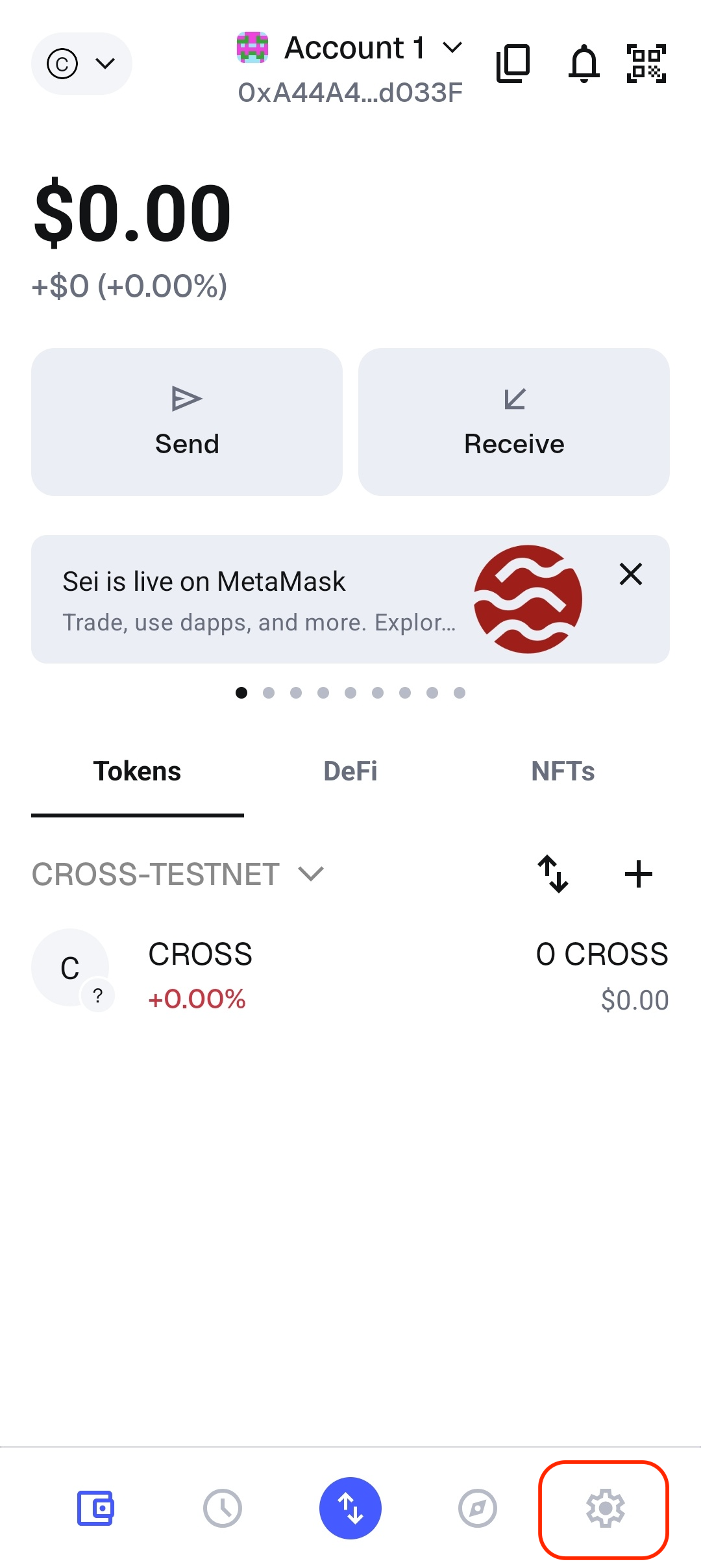
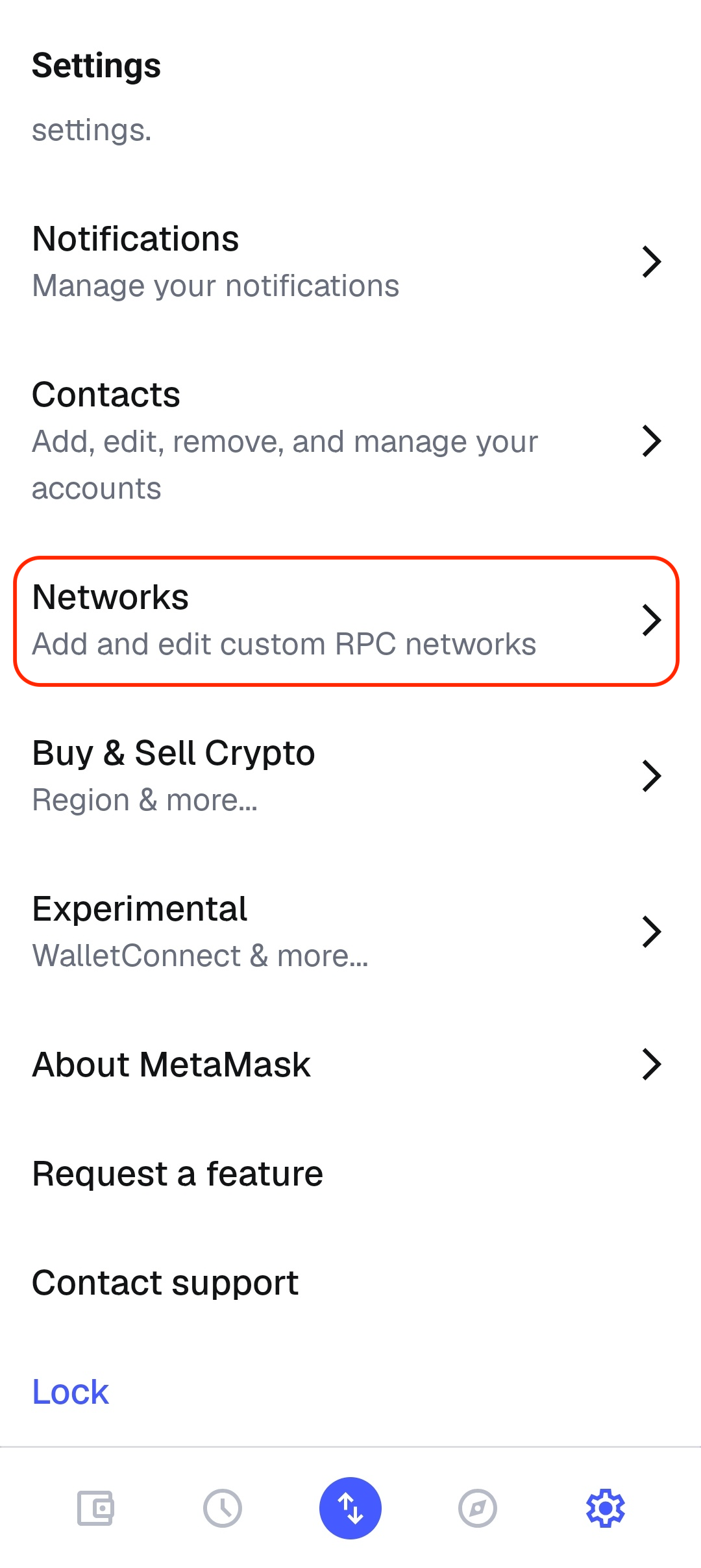
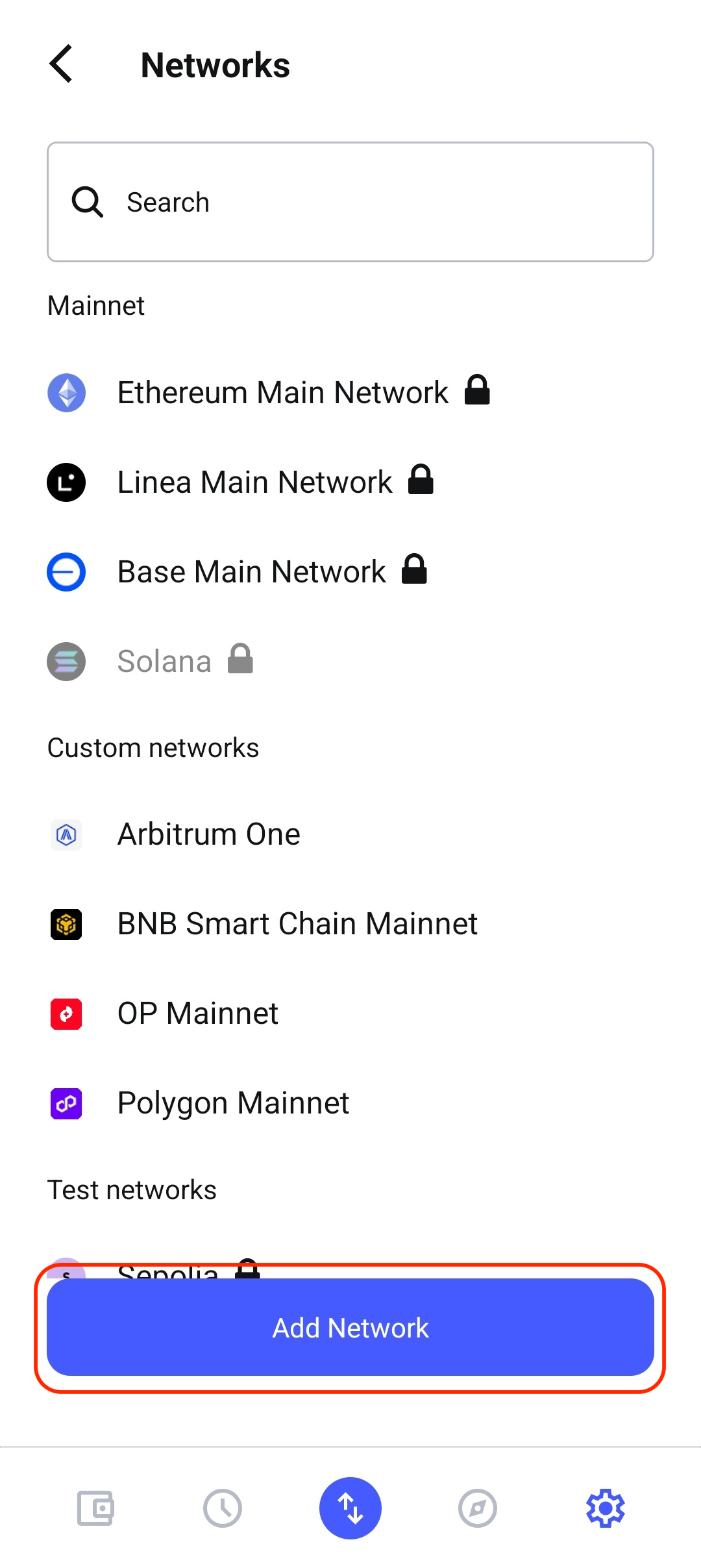
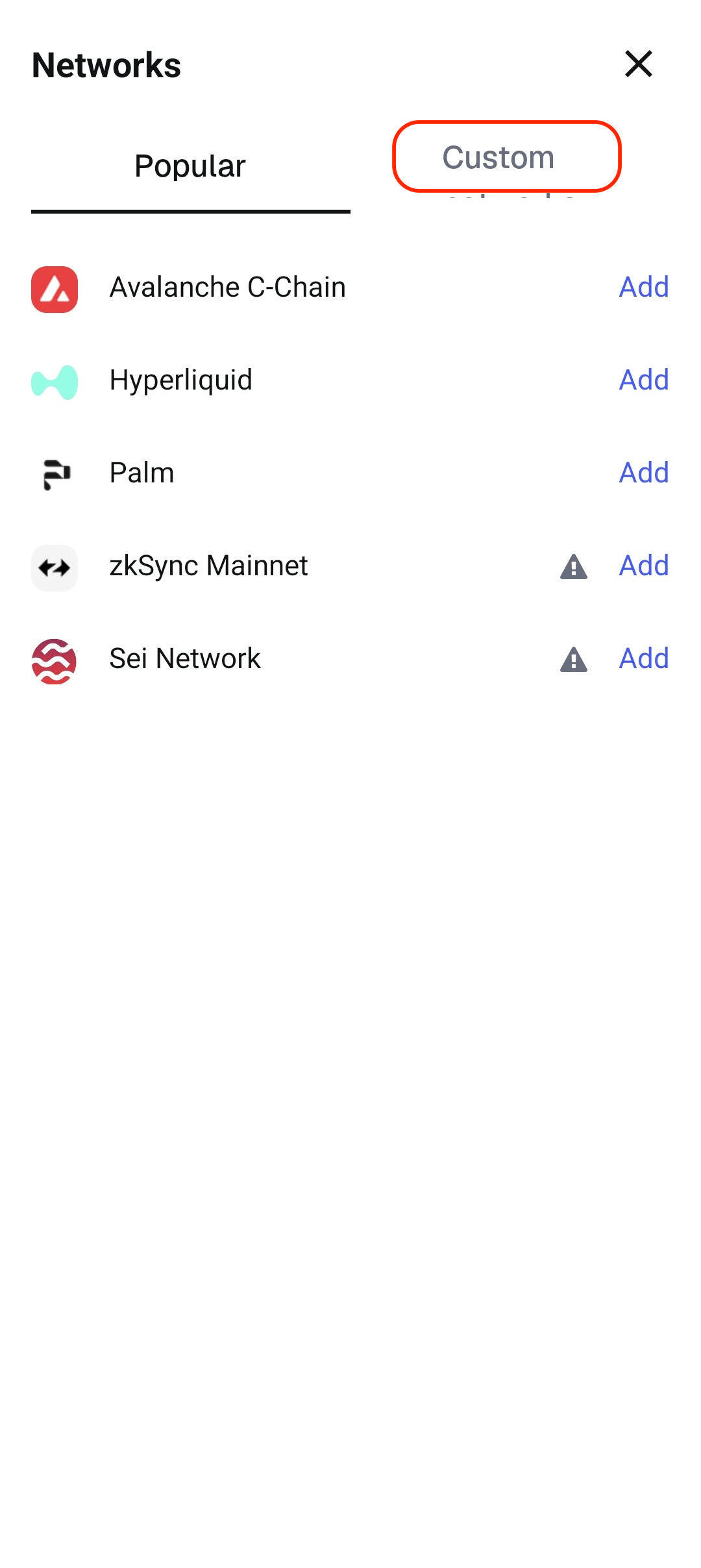
MetaMask Network Settings
To use MetaMask on the CROSS network, you need to add the network within MetaMask.
- MetaMask Settings
| Select 'Settings' at the bottom right | Select 'Networks' | Select 'Add Network' | Select 'Custom' tab | Enter network information |
|---|---|---|---|---|
 |  |  |  | 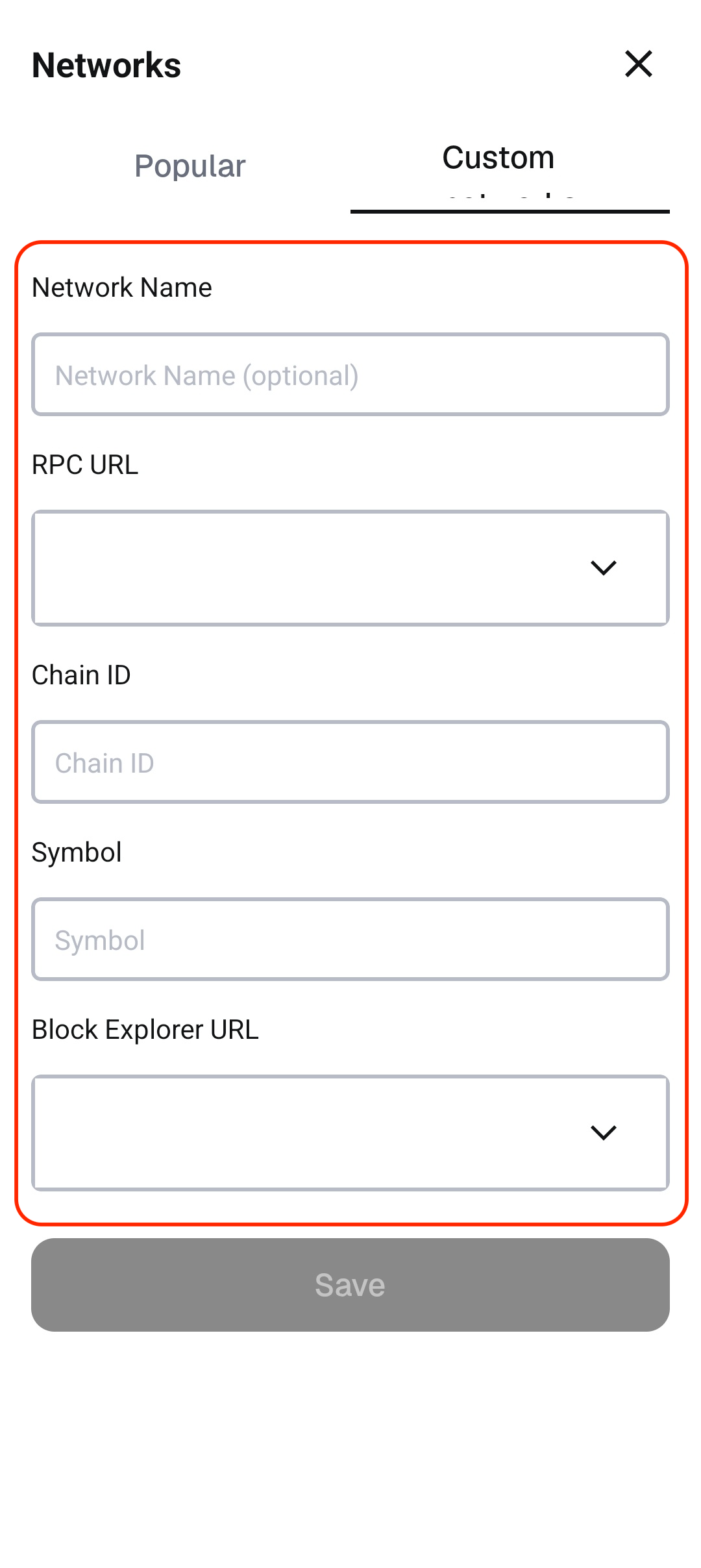 |
- CROSS Chain Network Information.
| Testnet | Mainnet | |
|---|---|---|
| Network Name | CROSS-TESTNET | CROSS-MAINNET |
| RPC URL | https://testnet.crosstoken.io:22001 | https://mainnet.crosstoken.io:22001 |
| Chain ID | 612044 | 612055 |
| Symbol | tCROSS | CROSS |
| Block Explorer URL | https://explorer.crosstoken.io/612044 | https://explorer.crosstoken.io/612055 |