
Projects Settings
Guide to setting up a project to use the RAMP platform.
Set up a Project to use the RAMP platform in your developer Application (dApp). You will need to enter the Validator address and the Admin private key managed by your company.
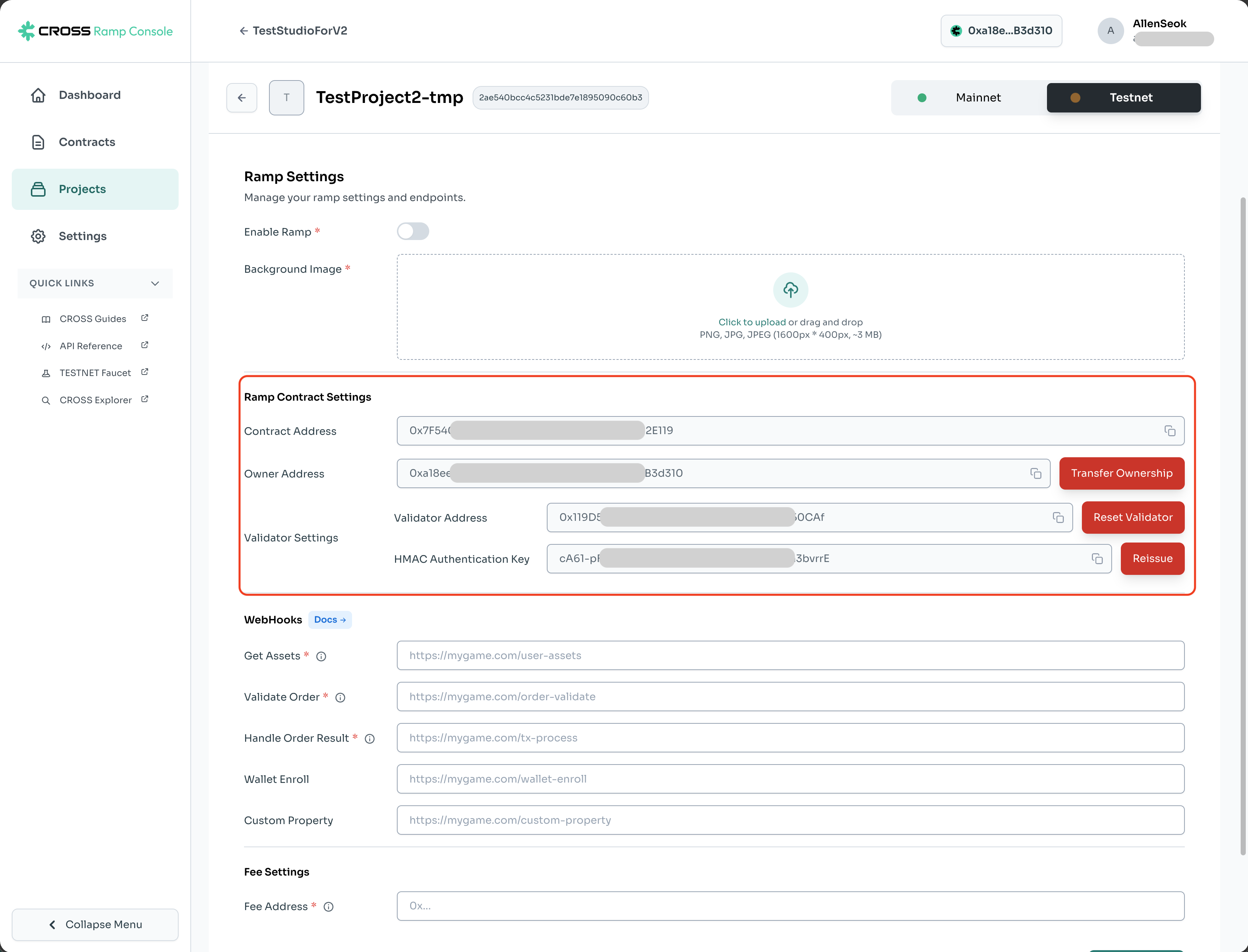
RAMP Contract Setup
Deploy RAMP Contract
Deploy the contract responsible for issuing/burning game tokens.
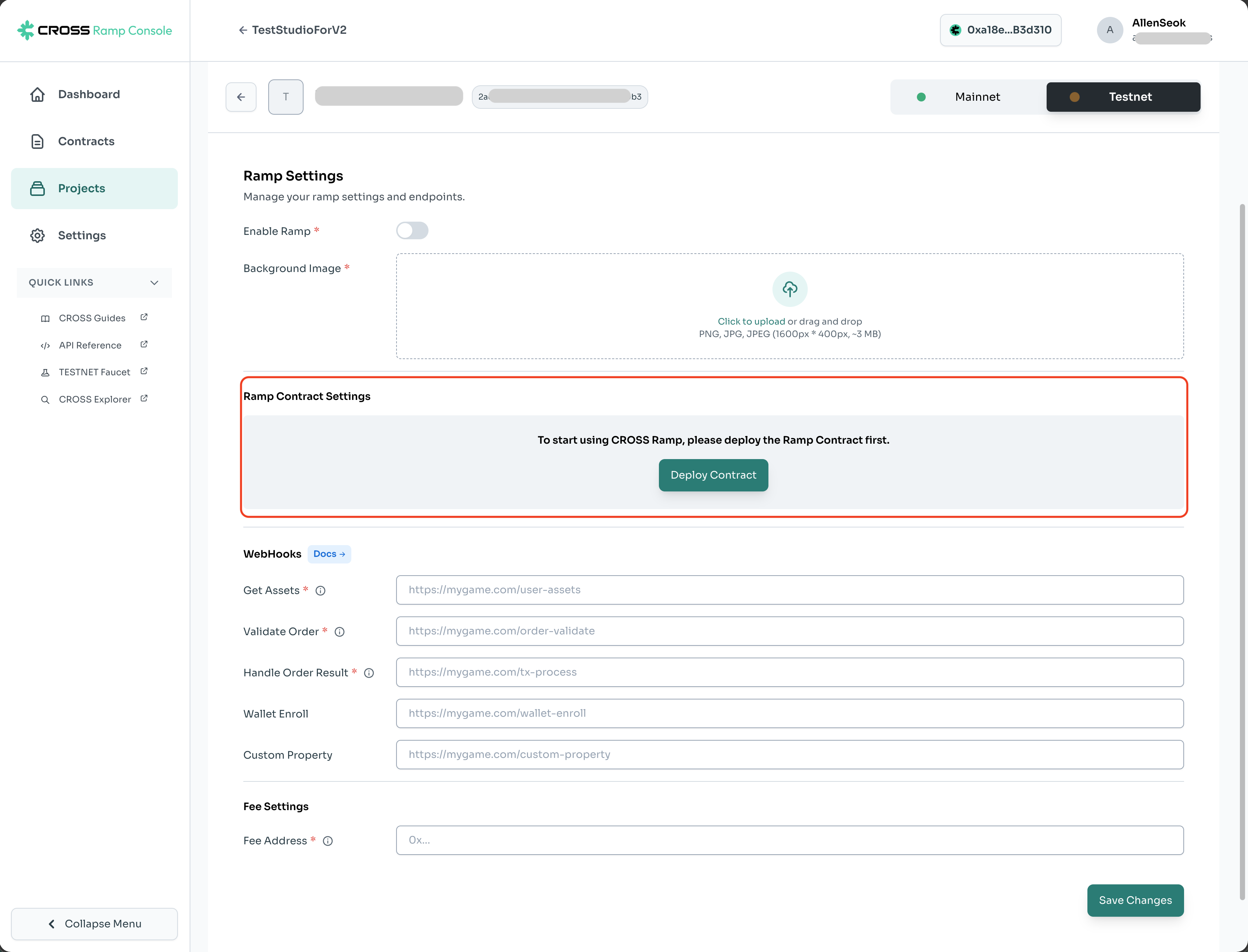
Set Validator Address
This is the address of the private key used for signing on the game server.
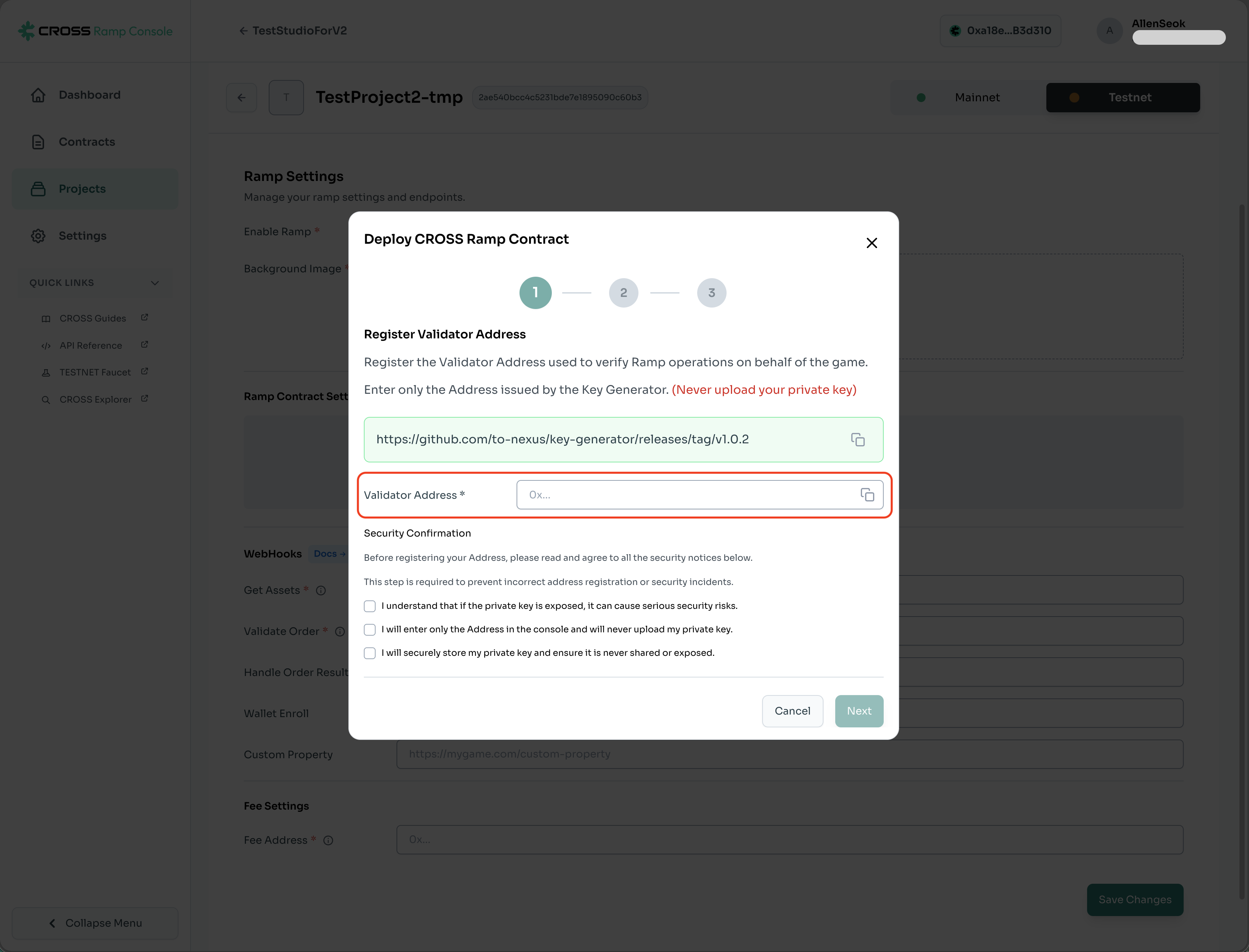
Specify Admin Address
Specify the admin address to be used for contract deployment.
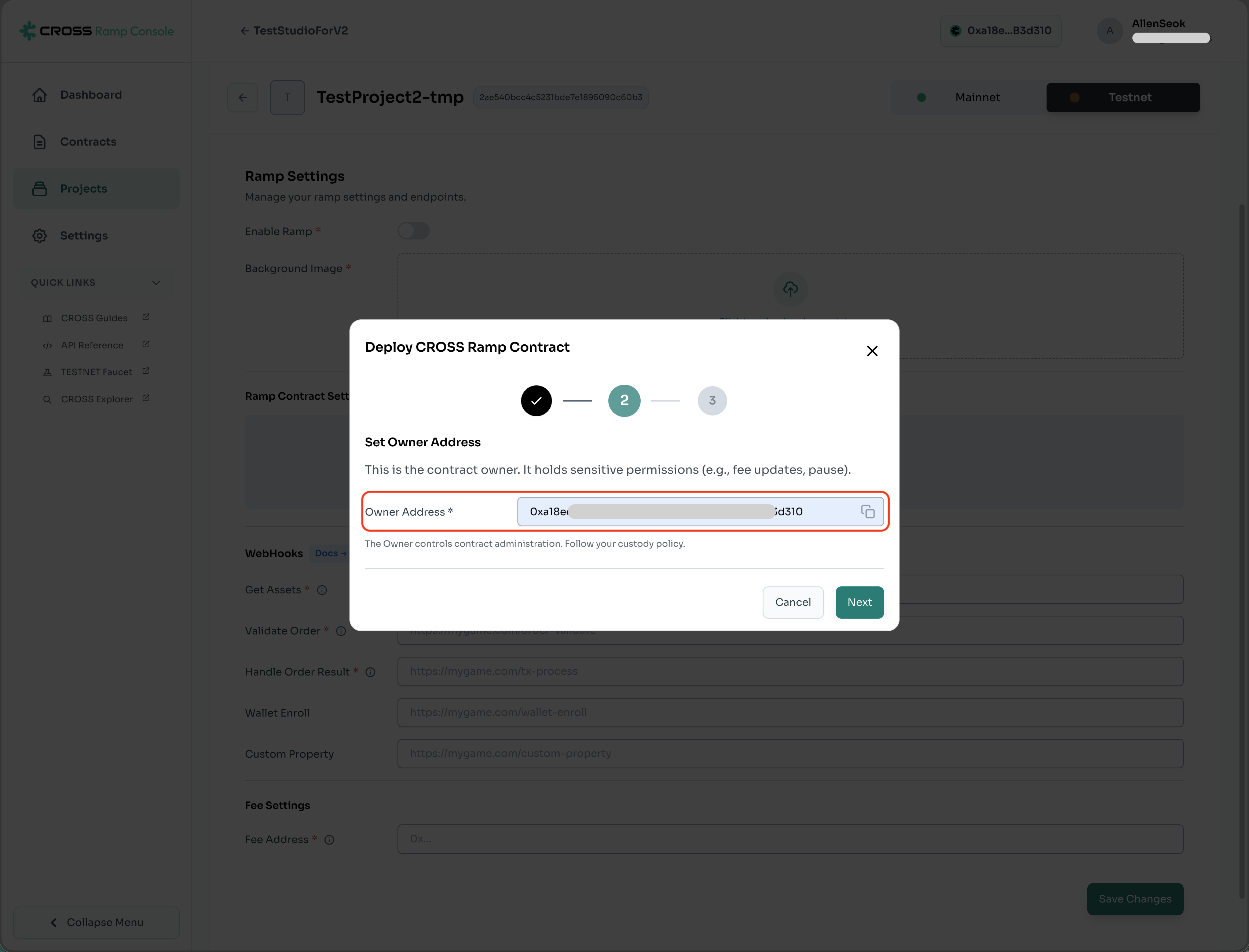
Pre-deployment Verification
Verify the Validator and admin addresses.
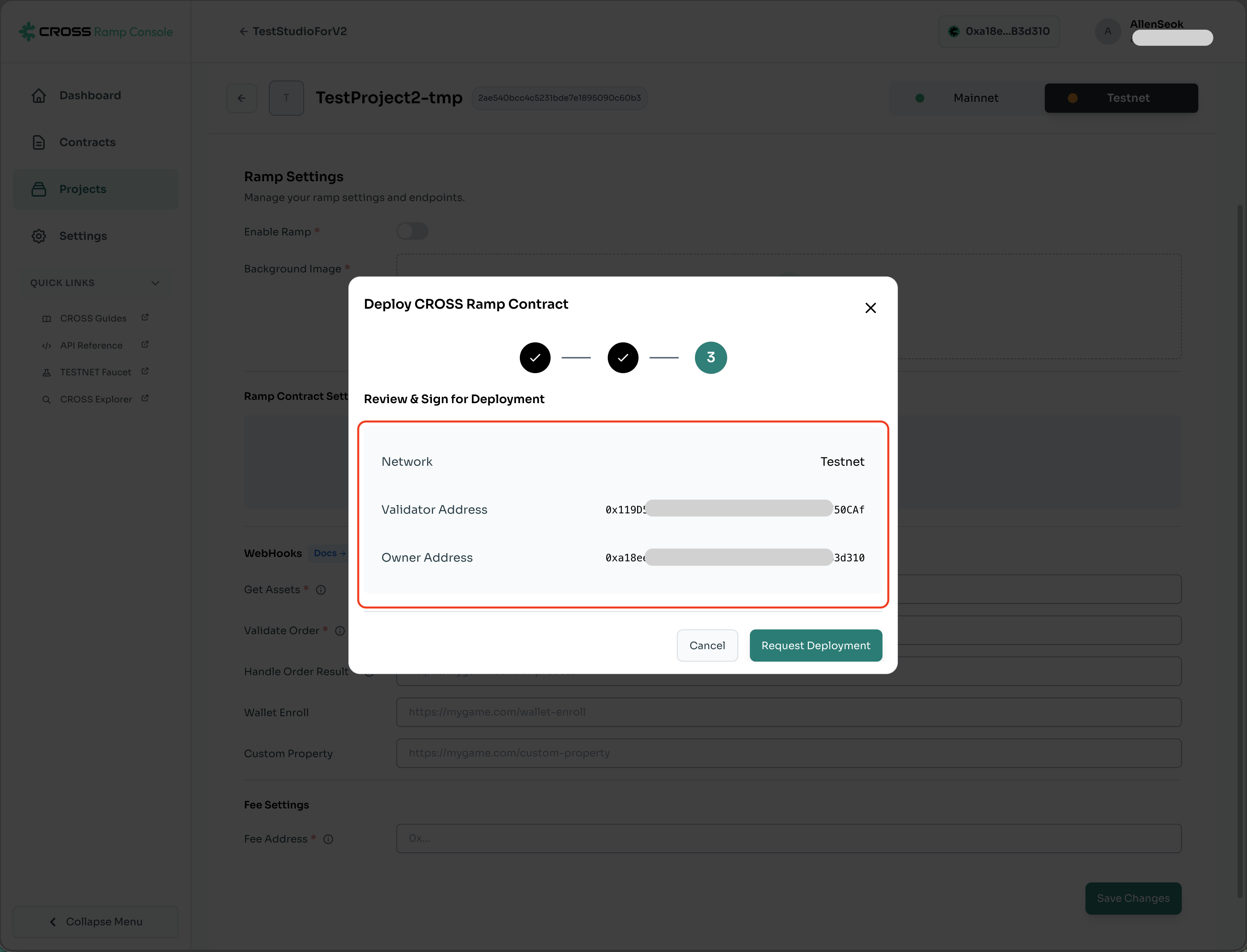
RAMP Contract Deployment Complete
Information about the RAMP contract deployed using the admin private key managed by your company.
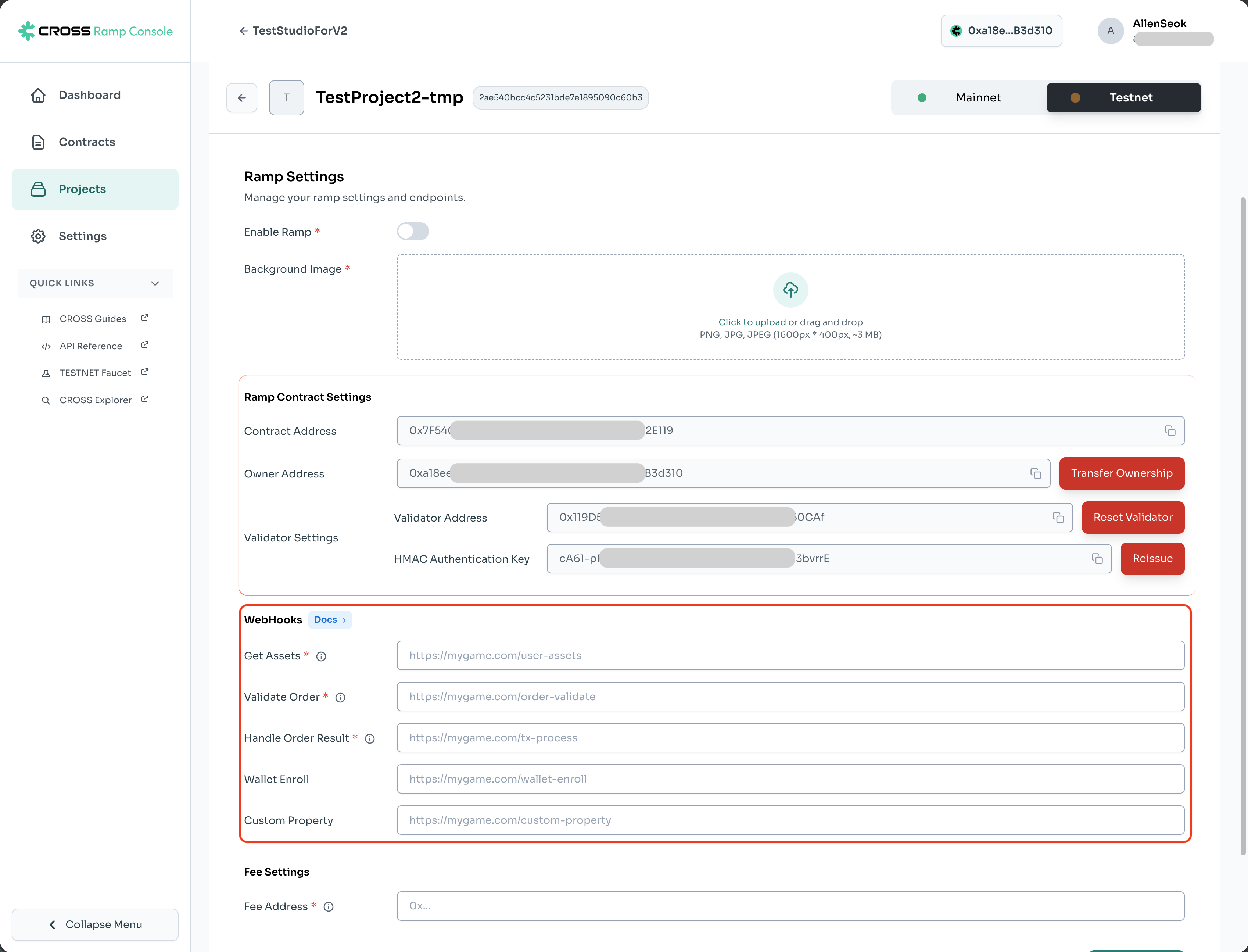
WebHooks
Detailed specifications for the End Point can be found in Webhook Information.
End Point for integration with the RAMP platform.
-
Get Assets
Required to query the user's game asset information needed for token issuance on the RAMP platform F/E page.
-
Validator Order
Necessary to verify if the user's signature value matches the transaction request data sent by the developer during the token issuance process. The developer server must verify if the requested game assets for minting/burning tokens are correct.
-
Handle Order Result
Use Webhook to deliver the blockchain results of the user's token issuance/burning request to the game server.
-
Wallet Enroll
Query the user's game account and wallet address.
-
Custom Property
End Point used when unique features specific to the developer are needed beyond the basic functions provided by the RAMP platform.
Fee Settings
This wallet address is used to collect the fees paid by users during token minting. The fee rate must be set to a minimum of 10% or higher, and a NEXUS wallet address is required.
For example, if the fee is set to 10%, when a user mints 1 token, 0.9 tokens are sent to the user’s wallet address, and 0.1 tokens are sent to the fee collection wallet address.
The collected fees are returned to users through the Rewards program.
Display Settings
You can edit the text related to token minting and burning displayed in the tabs on the Ramp F/E page.
(You can enter up to 15 characters.)


