
CROSS Forge x Verse8 Quick Start Guide
Learn how to use CROSS Forge to create and participate in Web3-enabled open game economies vibe coded on Verse8.
For Creators: Build & Launch
Even if you’ve never created a game before, don’t be intimidated. This system was built for people just like you. The entire Verse8 game creation process from concept to market-building can be broken down into 4 key components:
- Build a Game
- Add a Gametoken
- Launch your Game
- Launch on CROSS Forge
Depending on the complexity of your creation, the whole process can be completed in as little as about 30 minutes.
1. Build a Game
Starting with a good idea, Verse8’s Create menu makes this process incredibly simple. As you go back and forth with the AI interface, it will code in real-time and share its progress with you, even offering a playable preview throughout the process.
For more specific guidance on the Verse8 creation process, watch the quick video below:
TIP: Keep in mind that your game will be a Web3-enabled game with a utility-based gametoken. At this stage, design a simple basis for your gametoken’s utility. Will it be used to purchase in-game currency or special items? Will it buy additional lives, continues or power-ups?
NOTE ON SPINNING: If you don’t want to start from scratch with game creation, you’ll find a variety of existing titles to build on in the Verse8 Spinables section.
2. Add Gametoken
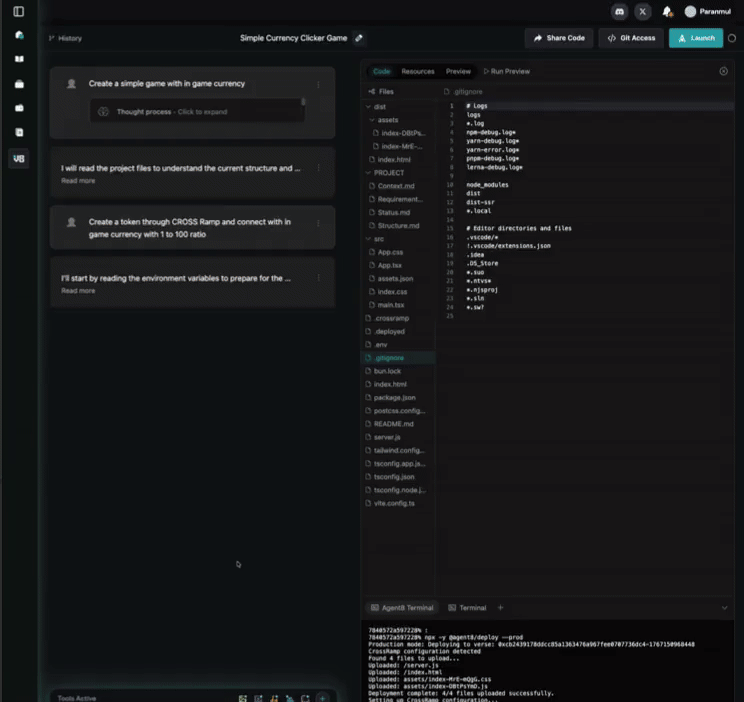
Once your game is mostly designed, it’s time to access CROSS Ramp and create an onchain token through CROSS Forge. These layers are fully integrated into the Verse8 Editor, so this step can be completed with a single prompt.
Example Prompt: Create a token through CROSS Ramp and connect it to the in-game currency with a ratio of 1:100
This step is important to establish not only the gametoken itself using the CROSS SDK, but the in-game relationships between your gametoken and the in-game currencies or items that can be purchased with it.
While the example we used above says just enough to initiate the process, we suggest being as specific as possible with this step. Describe how your gametoken will be used to acquire items and currencies in-game.
Additional Example Prompt: On the token-to–in-game-asset exchange screen, add a UI element that links users to the corresponding Forge page where they can acquire the required token before proceeding with the exchange.
This prompt enables your players to acces your token shop through in-game interations.
After creating your gametoken and setting the parameters for in-game trade, you’re ready to launch your game on Verse8.
3. Launch your Game
Once you have tested your game*, you’re ready to launch, using the Launch button in the upper right corner of the Editor. Simply enter the required information about your game and the details of your launch, then set your game’s visibility and you’re good to go.
*NOTE: Do NOT test the token-integrated portion of your game prior to CROSS Mainnet deployment, as it can lead to an error loop. After CROSS Mainnet deployment, feel free to test that portion of your game.
Once you have clicked Launch, you’ll be prompted for some additional information about your game.
Deploy to CROSS Mainnet
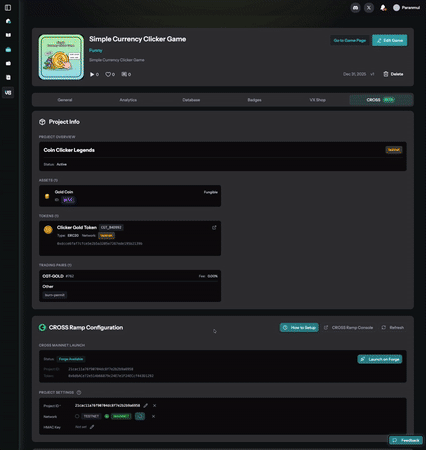
Following your initial launch, your project will be live on CROSS testnet. To deploy on CROSS Mainnet, locate the CROSS (Beta) section of your game’s Manage page.
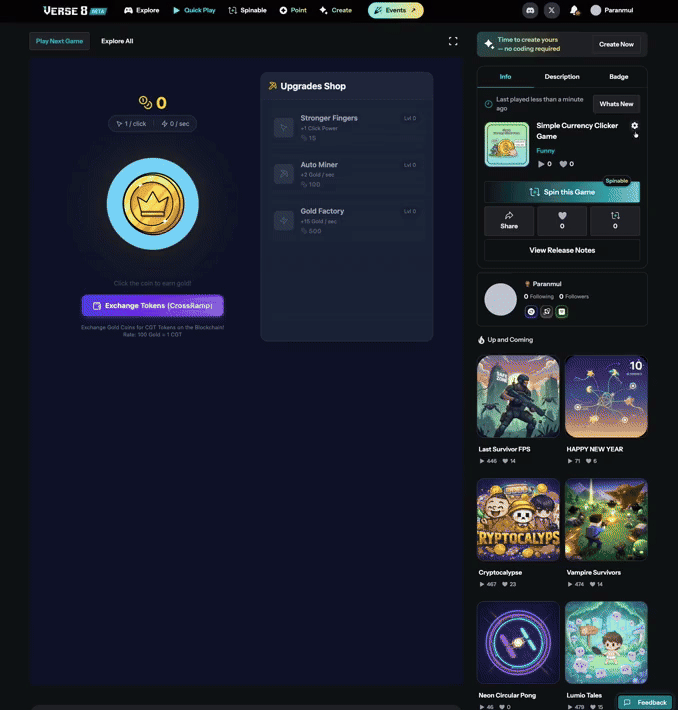
Deploying to CROSS Mainnet is quick and simple.
Click Deploy to CROSS Mainnet, then enter your gametoken information as prompted.
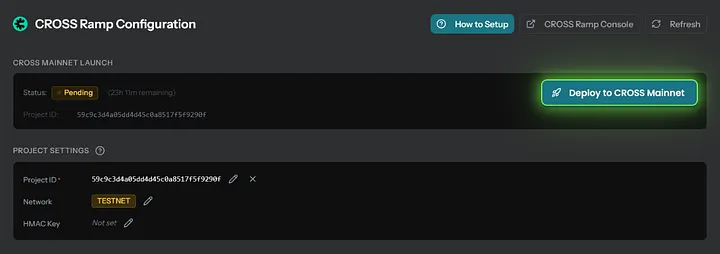
Next, under Project Settings on the same page, update Network to Mainnet. Then you are ready to launch on CROSS Forge, where you will create the token listing for your project, establish initial liquidity and make your gametoken discoverable by others.
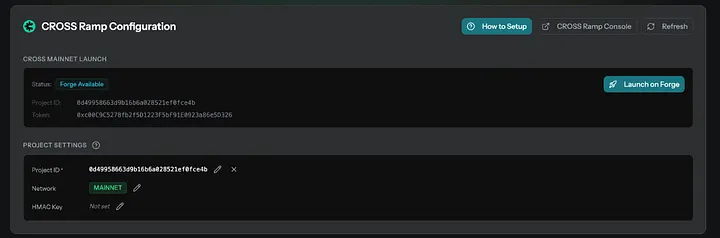
4. Launch on CROSS Forge
Click Launch on Forge or visit http://x.crosstoken.io/forgeto open the CROSS Forge website.
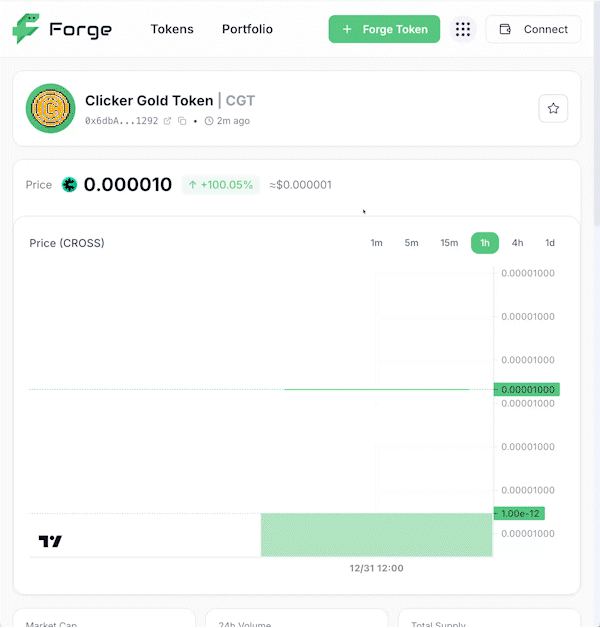
Once your gametoken pool is launched on CROSS Forge, your token is ready for trade and use!
Launching your CROSS Forge Pool
- Log into CROSS Forge with your Verse8 credentials*.
- Select Forge Token in the top right corner.
- Select your token from the list.
- Send CROSS (CROSS Mainnet) to your CROSS Forge address as needed to cover your initial liquidity.
- Set your desired liquidity using CROSS** (you may choose 0).
- Click Supply Liquidity to finalize and open your pool.
- Next, your gametoken will be listed on Forge, ready to be traded.
IMPORTANT FORGE NOTES
LOGIN: In order to access your created gametoken for Forge launch, you MUST log into CROSS Forge with the same email /social account used to log into Verse8.
NOTE ABOUT CROSS: Your Verse8-connected account comes with its own CROSS wallet, found in the upper right corner once logged in. To fund this account, send CROSS (CROSS Mainnet) directly to this address from your CROSSx wallet.
WITHDRAWALS: With the initial launch of CROSS Forge, withdrawals are not yet supported, but coming soon.
For Gamers: Play & Discover
CROSS Forge will soon be full of new open gaming worlds to discover, each with a utility-driven open game economy of its own.
Every gametoken on CROSS Forge may be obtained directly for CROSS (CROSS Mainnet) through a connected CROSSx wallet. To get started, simply visit CROSS Forge and connect your wallet and you’re ready to start buying gametokens that can be used in Verse8-created games.
Discover Games Through Gametokens
Browsing the gametoken markets on CROSS Forge is a great way to discover the hottest Verse8 creations and support rising creators. Keep in mind that tokens can be both bought and sold for CROSS on CROSS Forge, so the markets can become a strategic game of their own as you hunt down the most compelling gametoken utilities and most enjoyable games.
Purchasing tokens on CROSS Forge with connected CROSSx wallet, then visiting game through CROSS Forge “Play Now” link
Discover Gametokens Through Games
You’ll also discover gametokens that might make a good addition to your collection simply from playing games on Verse8, where you’ll start to see more and more unlocks, special items and purchase opportunities.
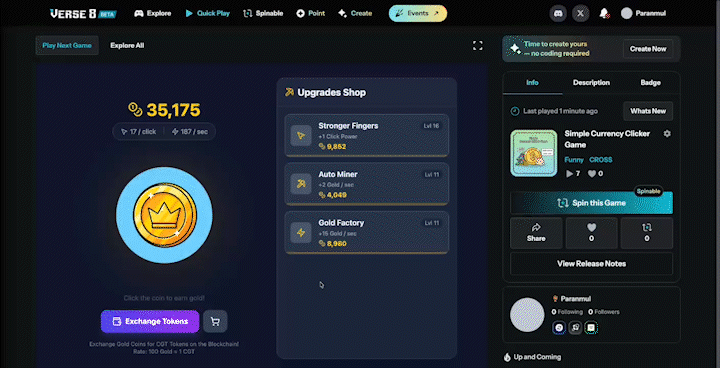
Purchase using CROSS Forge gametoken from the Verse8 gamer’s POV
When you choose to make a gametoken purchase within a Verse8 game, you’ll be prompted to connect your CROSSx wallet. If you hold that gametoken, you’ll have the ability to complete the transaction. If not, you can simply go to CROSS Forge(Hopefully game creator put a button for direct purchase like in the gif) and purchase that gametoken in another tab and you’re good to go.
Sending CROSS Forge gametokens to other accounts
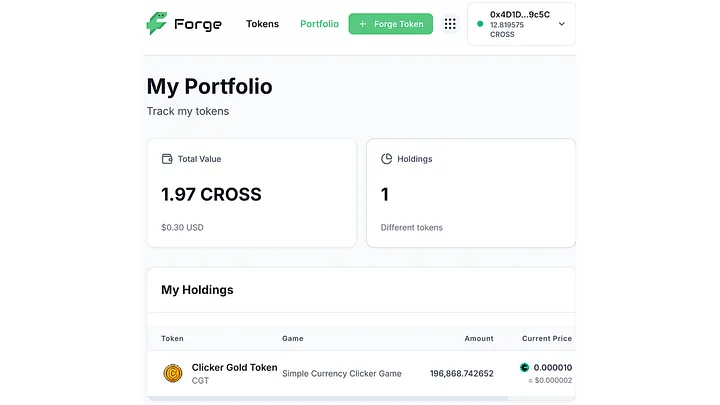
To send your token from CROSS Forge to another account, go to Portfolio and click on the token you want to send.
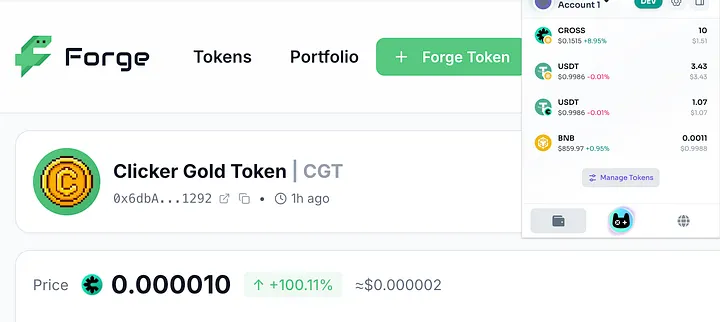
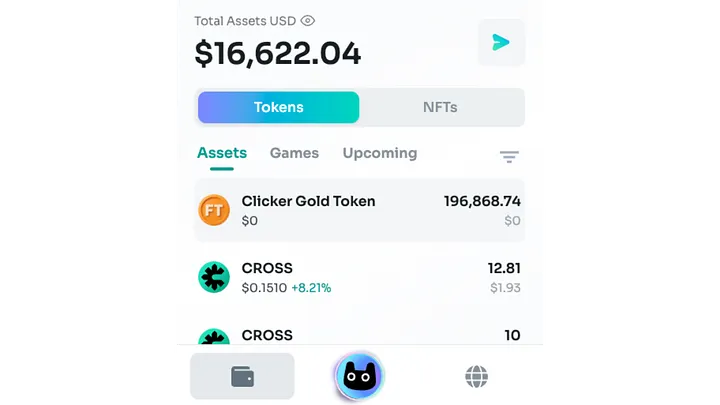
You will see a token address below the token name. Copy the address and click on Manage Tokens at the bottom of your CROSSx wallet.
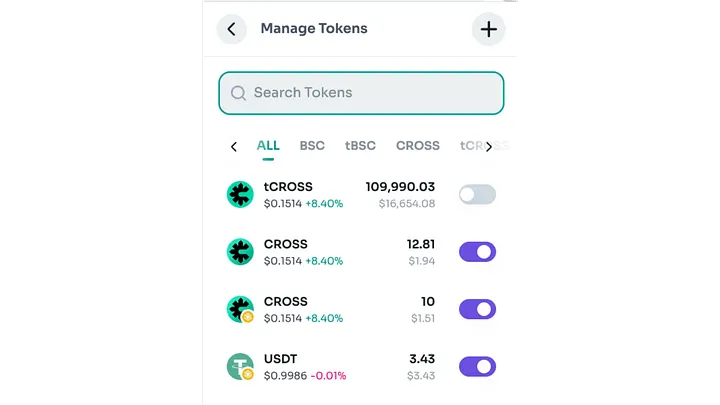
Click on + in the top right corner and change to CROSS Mainnet before pasting your token address.
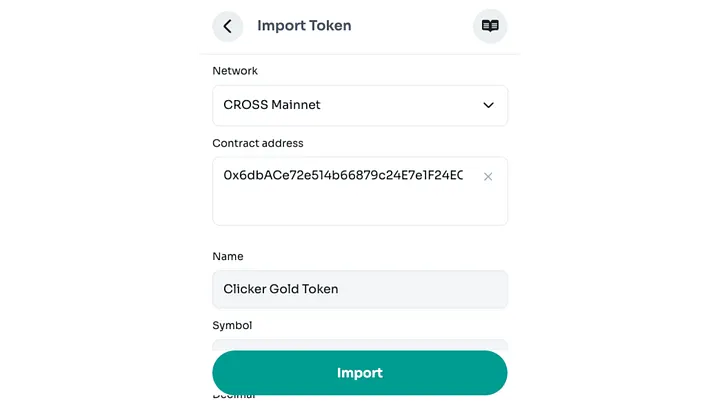
After clicking Import, your token will be visible in your wallet and transferable.
We hope you enjoy this cutting edge collaborative tool from Verse8 and NEXUS, taking full advantage of the latest in Web3, gaming and AI. We look forward to sharing additional updates in the coming weeks and months, and we can hardly wait to see all the awesome projects and gametokens you’ll create!
Updated about 3 hours ago